
January 23, 2025
 by
Alfa Björnsdóttir, Customer Success Manager
by
Alfa Björnsdóttir, Customer Success Manager
by
Alfa Björnsdóttir, Customer Success Manager
by
Alfa Björnsdóttir, Customer Success Manager
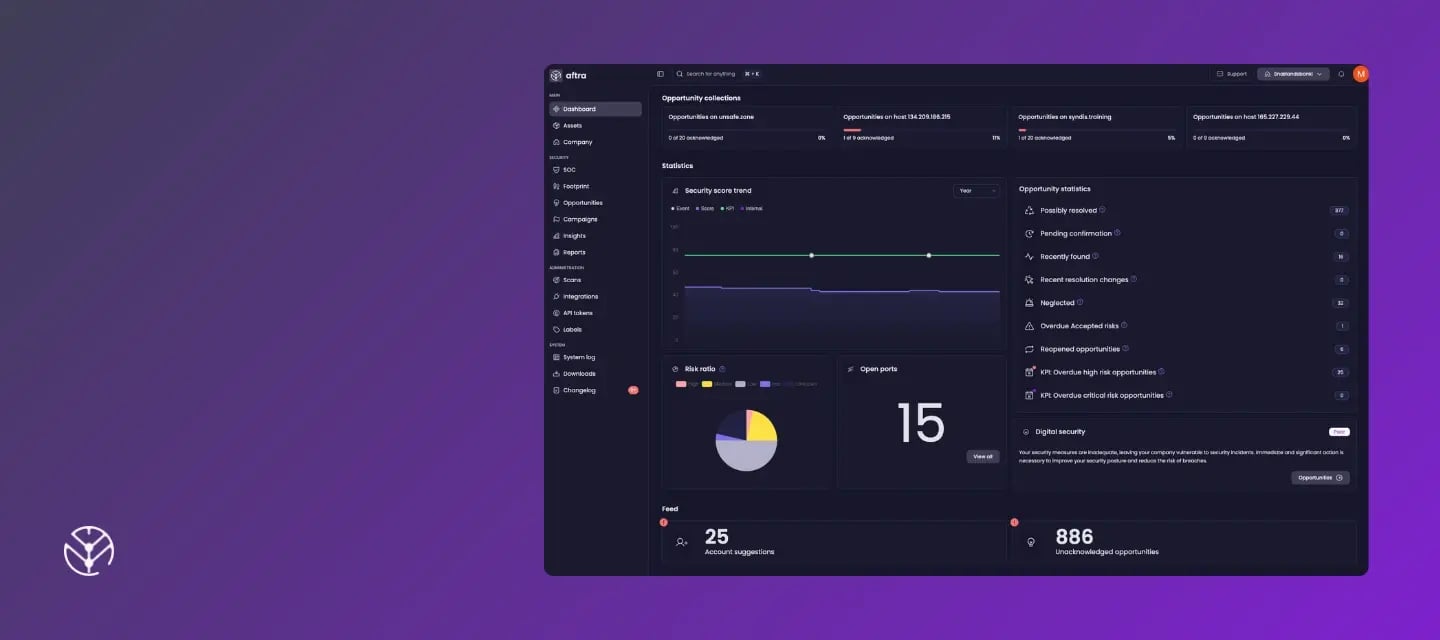
The biggest challenge for cybersecurity isn't just finding vulnerabilities, it's finding the time to fix them. That’s why our team has been hard at work to help customers prioritize and focus on the most important tasks first.
These updates are designed to help Aftra users move away from alert fatigue and into a more strategic way of working. From grouping related risks to providing better business context and AI-powered insights, everything we've built so far this year is focused on helping you secure your environment faster and more effectively.
[New] Opportunity Collections
Our biggest update yet. Eliminate alert fatigue and focus on your highest priority security risks.
[Sneak Peek] PCI Compliance add-on
Coming soon! We now help our customers with PCI scanning to meet PCI DSS requirements.
[Sneak Peek] "Ask AI" assistant (beta)
Coming soon! Understand exactly what a vulnerability means for your organization in seconds.
[Upgrade] Reimagined monthly reports
A total layout overhaul with new strategic insights, Microsoft Secure Score visibility, and performance tracking against your KPIs.
[Upgrade] The Aftra software is now available in dark mode
Do you prefer a dark interface with higher contrast that’s easier on the eyes? You can now use Aftra in dark mode.
Keep reading for more details on each update.
Opportunity Collections is our biggest update yet, designed to fundamentally change how you manage risks. Instead of drowning in individual alerts, the Aftra software will group related opportunities to help you and your team see the bigger picture.
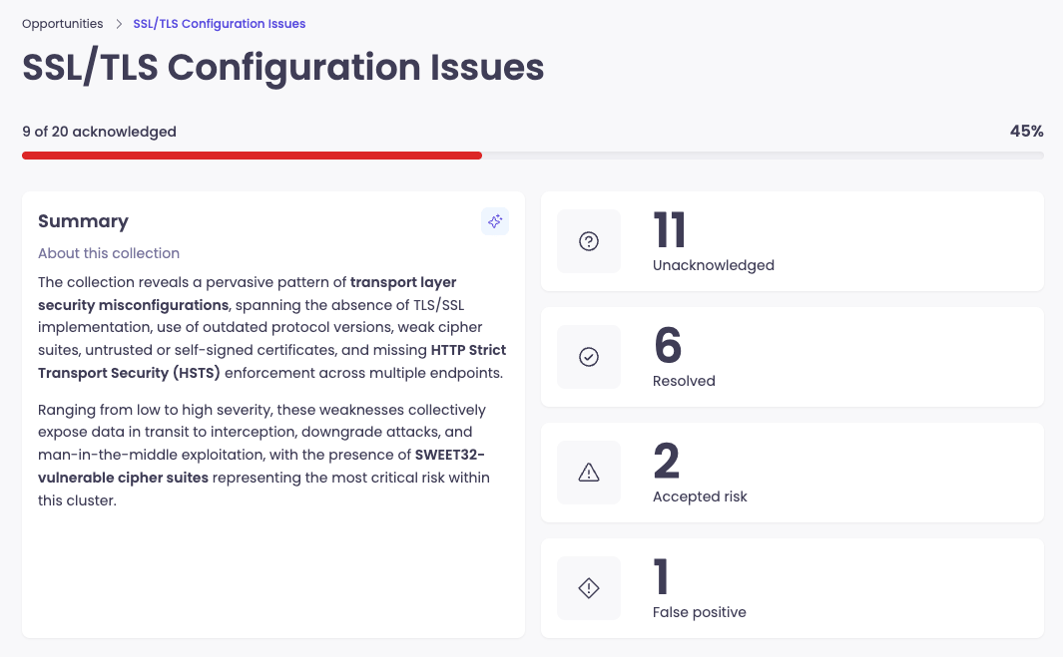
Aftra highlights the top 4 Collections that have the biggest impact on your overall score. Once you've tackled a Collection, the next priority bundle will automatically take its place.
By opportunity: Tackle systematic issues across your entire environment all at once.Are you a customer ready to get started? Log in to Aftra to see your top 4 Opportunity Collections directly in your Dashboard and at the top of the Opportunities page.
Compliance should not mean managing a fragmented workflow or multiple vendors. We are expanding our capabilities to help you bridge the gap between security and PCI DSS compliance. This will allow customers to meet regulatory requirements directly within Aftra.
Skip the extra vendors: Our upcoming integrated Approved Scanning Vendor (ASV) platform removes the hassle of managing separate tools for your external vulnerability scans.A PCI scan is a specialized vulnerability test required by the Payment Card Industry Data Security Standard (PCI DSS). It checks your internet-facing systems for security holes that could be exploited to steal credit card data. To be compliant, these scans must be performed quarterly by an ASV.
Most likely, no. Even if a third party processes your payments, you are likely still responsible for demonstrating compliance via a self-assessment questionnaire and/or external vulnerability scans. This upcoming add-on is designed to handle those requirements in the same place you already manage your security.
Understanding a vulnerability is often harder than fixing it. Our upcoming "Ask AI" assistant acts as a bridge, translating technical data into a clear understanding of what a specific risk means for your organization.
Help on demand: Soon, you will find an "Ask AI" button under the detail section of every opportunity.When available, we encourage you to use these AI insights carefully. While this tool is built to make your job easier, users should review all AI suggestions against your setup and internal rules.
Help us improve
There will be a Feedback button available, where you can give the response a rating or leave a comment. Please send us your feedback to helps us make the AI smarter and more accurate for everyone!
Security data is only useful if it makes sense to the rest of the business. Our new reports translate technical findings into an operational context, helping you align security progress with company goals.
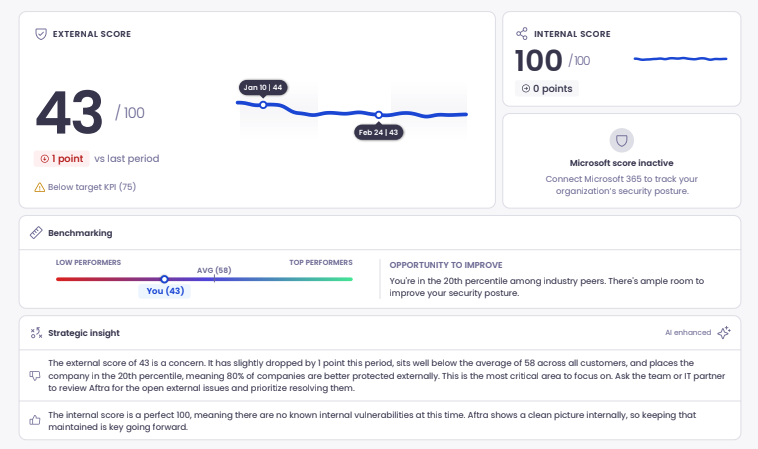
Microsoft Secure Score: Along with your external score trend and global benchmarking, we are now pulling your Microsoft Secure Score into the report for those with Defender integrated.
Strategic insights: We’ve added contextual analysis to explain exactly what your score trends mean for your security posture.
KPI and performance focus: A refined overview of your resolution performance. We highlight critical and high-risk opportunities, showing you how many are open, which are nearing a deadline, and if any are overdue. We also celebrate the wins by showing where you’ve stayed under target for resolution time.
Performance insights: To help you understand the "why" behind the numbers, we’ve added insights that explain what your resolution trends and KPI data actually say about your team's current momentum.
For those who prefer working in dark mode, prefer a higher contrast that's easier on the eyes, or just wants a new look, you can now use Aftra in dark mode.
Turn it on by navigating to your profile settings and scrolling down to "Appearance".
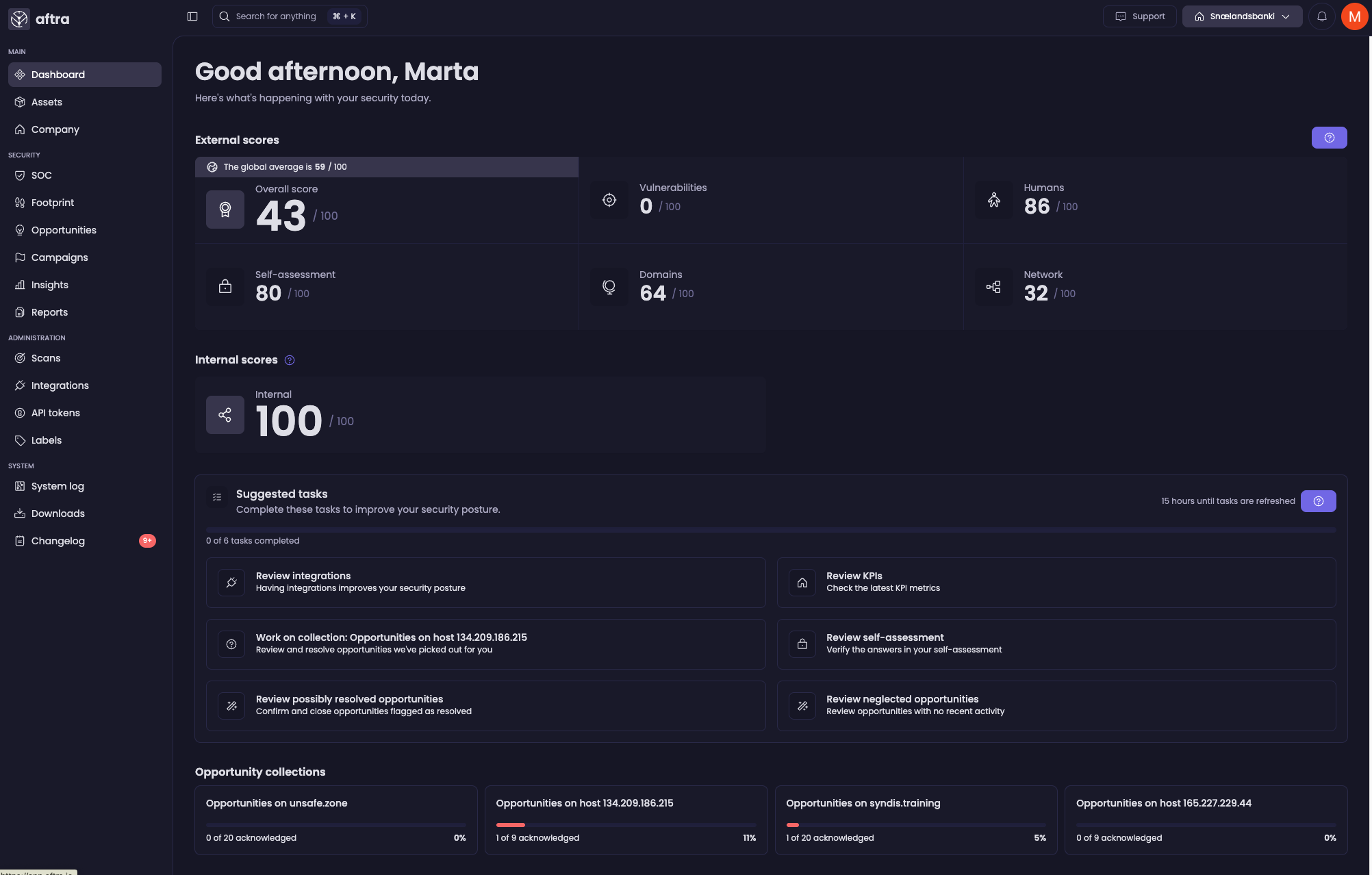
We’re constantly evolving Aftra based on customer feedback. Here are a few more recent updates driven directly by customers
Not yet using Aftra to manage your cybersecurity risk? Book a demo.
.webp?width=720&height=720&name=road-and-mountains%20(1).webp)